The Best Free Online Proxy for Anonymous Browsing
Open supported public pages through our fast, secure online proxy. This free proxy site lets you try to unblock websites with no software installation, no VPN required. Anonymous browsing has limits: accounts, cookies and service logs can still identify activity.
Trusted Online Proxy — Browser-Based Access
Public Pages
Compatibility Varies
Varies
Connection Speed
HTTPS
Browser-to-Proxy TLS
100%
Free to Use
Key Features of OnlineProxy
Use an online proxy to access supported public pages for free, with clear limits on anonymous browsing and website compatibility.
Video Streaming Support
Try our web proxy as a youtube proxy or tiktok proxy for supported video pages. This proxy site cannot guarantee playback: DRM, destination restrictions, browser support and available bandwidth can affect video and buffering.
HTTPS Proxy Encryption
HTTPS protects the connection between your browser and our secure proxy service. The proxy processes requests and responses, then connects separately to the destination using its protocol. This protects a connection, not your entire device or identity.
Bypass Network Filters
Try to unblock websites using this free proxy when your network permits access. Our proxy website provides another route for supported requests; it cannot override every restriction or restore an offline page. Follow school, workplace and service rules.
Anonymous Browsing
For requests routed through this proxy site, the destination receives the proxy server connection. Accounts, cookies, browser characteristics and service logs can still identify activity. Anonymous browsing is not guaranteed; understand these internet privacy limits and avoid sensitive private browsing tasks.
Desktop and Mobile Browsers
This free online proxy works with supported desktop, laptop, tablet and phone browsers. Access our proxy site with no app downloads or browser extensions. JavaScript, Service Worker support and permission from your device or network are required.
Free VPN Alternative
Use a free web proxy for supported pages instead of installing a VPN app. This proxy server requires no software to install or subscription to start. Other apps and tabs keep their own connections; speed and destination access vary.
How to Use Our Free Online Proxy
Enter the URL
Type or paste a public website address into our proxy website input box above. Our web proxy can add the URL scheme; avoid private document links, credentials or reset tokens.
Submit the Form
Select Browse Anonymously to start the secure proxy request. The form needs a website URL, not a device-wide proxy IP or port configuration. It does not offer JavaScript or ad-removal settings.
Browse Anonymously
Check whether the page and the features you need load through the encrypted proxy connection. Links, sign-in and video can behave differently. Accounts, cookies and service records can still identify a private browsing session.
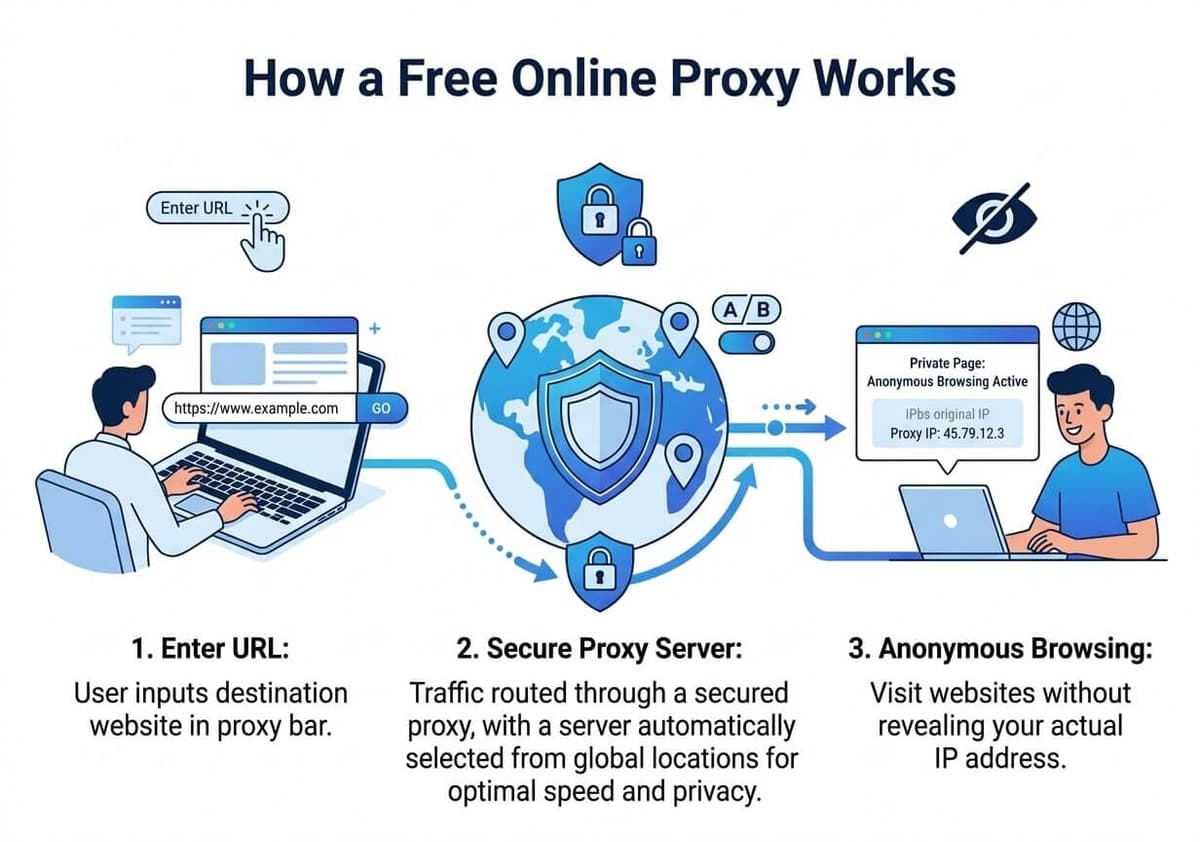
Illustration of proxy routing. A proxy does not guarantee anonymity, location availability or faster access.
Popular Online Proxy Use Cases
Why Choose Our Free Online Proxy
What You Get
Basic browser access — free to use
- Try supported YouTube, TikTok, Facebook & other pages
- No app download or browser extension
- Supported desktop, tablet & mobile browsers
- HTTPS connection to OnlineProxy
- Operational data explained in the Privacy Policy
- Subject to school & workplace network policies
- Free basic browsing — no subscription required
No account required for basic browsing; privacy and compatibility limits apply
No Installation Required
A free proxy site and proxy website for browser-based access without installing a VPN. Understand the limits of anonymous browsing and internet privacy before using a proxy.
No Installation Required
Unlike VPN apps that require downloads and configuration, this free online proxy starts from a browser form. No app store or extension is required; device and network policies can still limit access to our proxy website.
Privacy-First Design
Our secure proxy processes destination URLs, IP addresses and technical request data. If you need a no log proxy, this service does not provide that guarantee. Operational logs, analytics and advertising may retain information; anonymous browsing is not guaranteed. For private browsing with a web proxy, review the Privacy Policy.
Popular Website Access
Try YouTube, Netflix, Facebook, Twitter, Instagram and reddit proxy access through supported pages. Video playback, DRM, sign-in and interactive features depend on the destination and may not work.
Everyday Uses for Our Online Proxy
Illustrative ways to use the service, with practical limits. These are usage examples, not customer reviews or independent test results.
Use this proxy site for public pages on shared Wi-Fi. The secure proxy connection uses HTTPS, but private browsing and internet privacy still depend on your accounts, cookies, device and trust in the proxy operator. Avoid sensitive work data.
Private Browsing Boundaries
Public Wi-Fi
Open a public page with a web proxy without installing plugins. A secure proxy connection routes supported requests through the service. This free proxy still depends on browser features, network policies and destination availability.
Browser Access
No Installation
Try a free proxy for a public article before testing a web proxy as a youtube proxy. When comparing the best free online proxy for a task, check video and sign-in separately; opening a page does not guarantee streaming or faster speeds.
Video and Research
Playback Varies
Use OnlineProxy to compare a direct public-page request with a proxy request. Check links, scripts and media individually. Results depend on the destination and connection; one successful page is not proof that every feature or site will work.
Compatibility Checks
Public-Page Research
Try OnlineProxy for public educational pages and research materials where your school or network permits it. No installation is required, but the service cannot override every filter or replace the permissions needed for a restricted resource.
Educational Resources
Network Policies Apply
A proxy can provide another route to a public news page. Access is not guaranteed. Service logs, website cookies and signed-in accounts can still identify activity. Review the Privacy Policy to understand internet privacy limits before relying on anonymous browsing.
News and Public Pages
Privacy Limits
Questions about using an online proxy
How to get started, what the service covers, and what to check when a page does not load.
How can I open a website without installing a VPN?
Paste the full website URL into OnlineProxy and submit the form. No app or extension is required. The service provides another route for supported website requests; it cannot restore an offline page or guarantee access through every network restriction.
Is there a free online proxy that does not require an account?
OnlineProxy lets you start from its website form without creating an account or entering a credit card. Advertising may appear. A destination website can still require its own account, and using this form does not bypass its sign-in or payment requirements.
Do I need a proxy IP address or port number?
No. Enter the destination URL in the form; you do not need to configure a proxy hostname, port or device network settings. This web proxy is not an HTTP or SOCKS endpoint that you can enter in another application.
Does an online proxy protect traffic from all my apps?
No. OnlineProxy handles supported website requests made through the service. Other tabs, games and messaging apps do not automatically use that connection. A VPN can route traffic from more applications depending on its configuration; choose according to the traffic you need to route.
Can I use an online proxy on my phone or computer?
You can use the website form on desktop and smaller screens. JavaScript and Service Worker support are required to start a session. Browser features, network settings and the destination itself can affect compatibility, so a device name alone does not guarantee that every page will work.
Can I open YouTube, TikTok or social media links through a web proxy?
You can submit public links, but loading a page does not guarantee that its video player, sign-in flow or other interactive features will work. Media can use separate hosts and access checks. Availability, playback quality and buffering depend on the destination, network and service load.
Why is a website slow or not loading through the proxy?
Check the full URL, then compare an unrelated public page and direct access to the original link where available. If only one destination fails, it may reject proxy requests or use incompatible features. Route, page size and server load affect speed; a web proxy is not inherently faster than a VPN.
Does an online proxy make my browsing completely anonymous?
No. Accounts, cookies, browser characteristics and service records can still identify a visitor. OnlineProxy processes submitted destinations and technical request data; operational logs, analytics and advertising may retain information. Ending a session does not guarantee deletion. Use direct trusted connections for banking and other sensitive account tasks.
Ready to Browse Freely?
Try supported public websites with our free online proxy. This web proxy site needs no sign-up and no download. Review private browsing limits before using a secure proxy; access and anonymity are not guaranteed.
Access Online Proxy